

One Click. Every Ratio
Reframe After Effects comps to any aspect ratio in one click. Every layer repositions and rescales to fit. No rigging, no rebuilding, no baked precomps.
Also You Can Buy On


One-time purchase · Free updates · AE 2025+
Why CompResızer
Not Just a
Bigger Canvas



Change a comp's dimensions in After Effects and your layers stay exactly where they were half of them now off-frame. CompResizer repositions and rescales every layer to fit, so a 16:9 master becomes a clean 9:16 in one click instead of a cropping puzzle.

Nothing to
Set Up

No responsive rigs, no expression controllers, no pre-tagging your layers. Point it at any existing comp and resize including projects you built months ago.
Hours of Resizing
Done in Seconds
Stop spending hours resizing your content for TikTok, Instagram, or YouTube. CompResizer adapts your creative assets for every platform in seconds, giving you your valuable time back.
FEATURES
Smart Presets
Jump straight to the formats you use most 9:16, 1:1, 4:5, 16:9, 4K UHD, 720p or enter any custom width and height.

Fill, Fit, or Stretch
Choose how content adapts to the new frame: crop to fill it, letterbox to fit it fully, or stretch to match exactly.
Precise Alignment
A 3×3 anchor grid controls exactly where your content sits in the new frame so you decide what stays inside the visible area and what falls outside it.


Duplicate Safe
Resize a copy and keep your original composition untouched, or resize in place your call.

Aspect Ratio Lock
Type a width, get a proportional height automatically or unlock it and set both independently.
Non Destructive
CompResizer never bakes, precomposes, or flattens your layers. It temporarily parents them to a rig, applies the new scale and position, then releases the rig your effects and keyframes stay exactly as they were. Every resize runs inside a single undo group: one Cmd/Ctrl+Z and you're back.
how ıt works
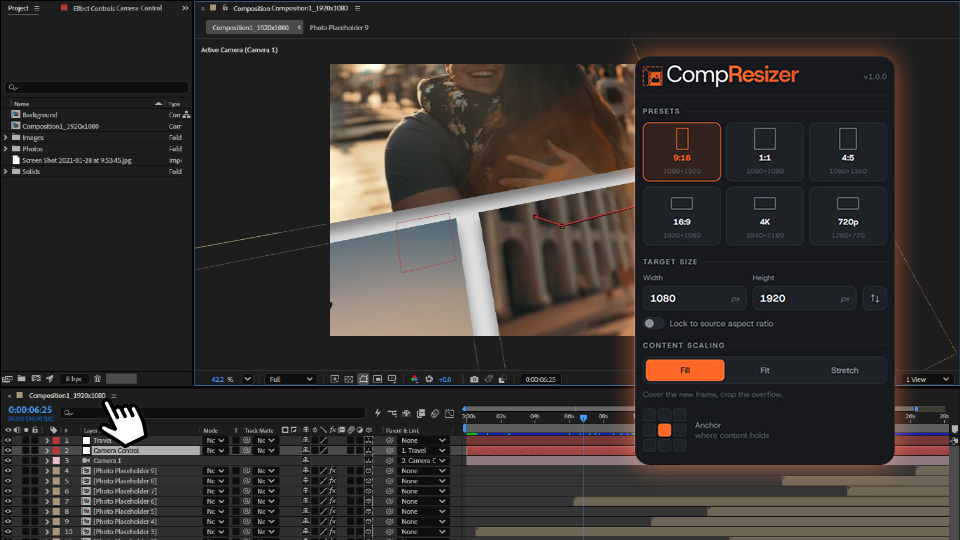
Open Your Comp
Select the composition you want to resize in After Effects.
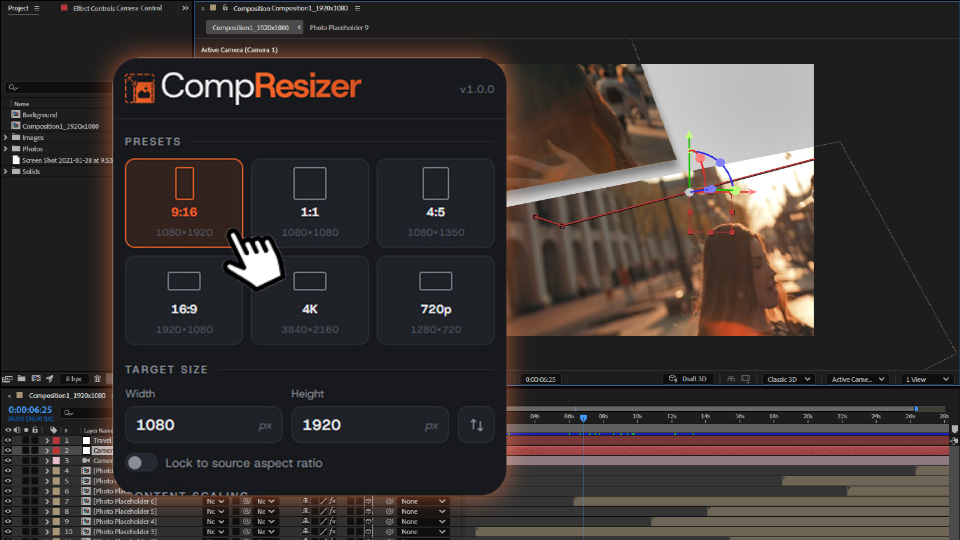
Pick a Size
Choose a preset or enter custom dimensions, then set how content should scale.
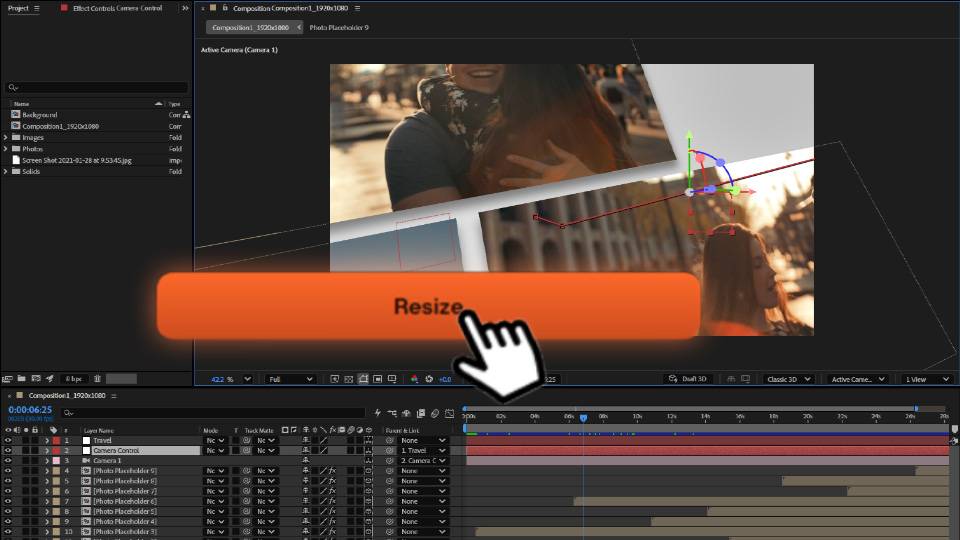
Click Resize
Every layer repositions and rescales automatically. Done in seconds.
FAQ
Will this move my keyframed animations?
Yes. Reframing repositions the entire layer stack, including anything animated, based on the alignment and scaling mode you choose.
Do I need to rig or prepare my comp first?
No. There's nothing to set up. Open any comp even an old one and resize.
Is it a subscription?
No. CompResizer is a one time purchase. The version you buy keeps working forever, with no recurring bill.
Do I pay again for future versions?
Updates within your version (v1.1, v1.2, and so on) are free. Major new versions like v2 add significant new features and are optional paid upgrades and as an existing customer, you get discounted upgrade pricing through aescripts. Whatever version you own keeps working regardless.
Does it work with 3D layers?
2D layers are fully supported. For 3D layers, you can currently resize using an experimental method. Since this feature is still in the testing phase, we recommend checking the result at the new size.
Can I resize multiple compositions at once?
Not yet. CompResizer works on one active composition per run. Batch reframing is on the roadmap.
Can I resize pre-comps?
Partially yes. You can open your pre-comp and resize it on its own. However, there is no feature to automatically rescale pre-comps within the main composition. That feature is in the roadmap.
Can I undo a resize?
Yes. Every resize is wrapped in a single undo step.
Which After Effects versions are supported?
AE 2025 (25.0) and newer, on macOS and Windows. Work is ongoing to improve support for older After Effects versions.
How many machines can I activate?
A Single User License activates on 2 machines, managed from your aescripts.com account.